
Why a shared recipe library
In most homes, the recipes live in one person's head, in a notebook nobody else can find, or spread across a dozen phones. When it's someone else's turn to cook, the first step is asking where that recipe went.
A shared library fixes that. Everyone in the household opens the same cookbook, with the same recipes, notes and adjustments. When someone adds a new favorite, it's there for everyone right away.
How it works
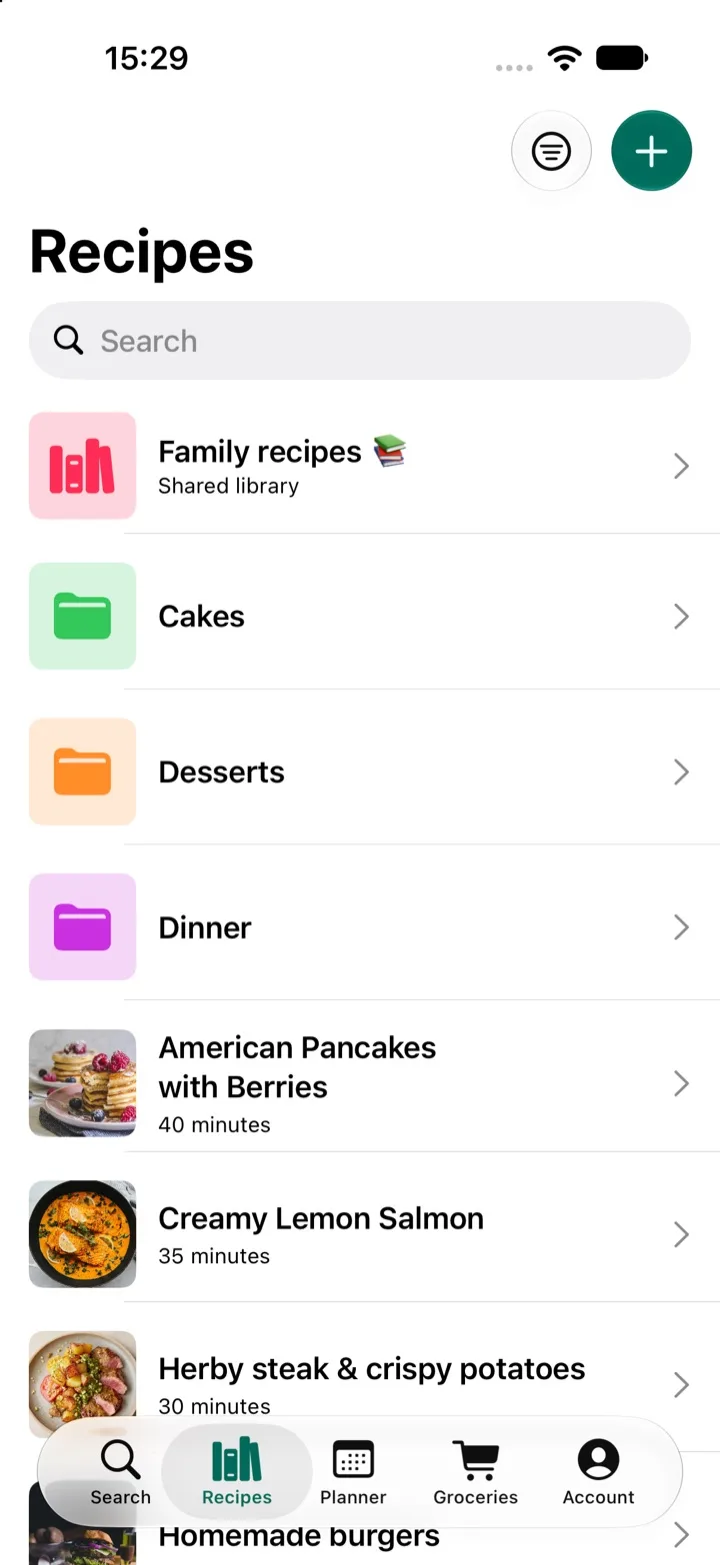
- Create a library in the Recipes tab, for example "Family recipes".
- Invite people to it: your partner, kids, parents or anyone else you cook with.
- Everyone adds recipes. Save them from websites and social posts, paste them in, or type up the handwritten ones before they get lost.
Cook together, not just collect
The library is only the start. My Recipe Pad is built around doing the whole week together:
- Plan meals together. Share your meal plan, so everyone knows what's for dinner.
- Shop from one list. Send the week's recipes to a grocery list that everyone can add to and tick off.
- Scale servings when the whole family comes over, without doing the math.
Keep family recipes for the next generation
Some recipes only exist on a stained index card or in someone's memory. Type them into a shared library, add a photo and a few notes, and they're safe, searchable and ready to pass on.
Works in your language
Family recipes aren't always in English. The importer understands ingredients, amounts and units in practically any language, so you can save recipes from the sites your family actually uses.
Questions
- Who can I share a library with?
- Anyone with My Recipe Pad on an iPhone or iPad. Invite your partner, kids, parents, flatmates or friends to a library from inside the app.
- Can everyone add recipes to a shared library?
- Yes. Everyone you invite can add their own recipes to the library, so it grows into a real family cookbook.
- Can I keep some recipes private?
- Yes. You decide which recipes go into a shared library. Everything else stays in your own collection.