Make it bigger or smaller in one tap
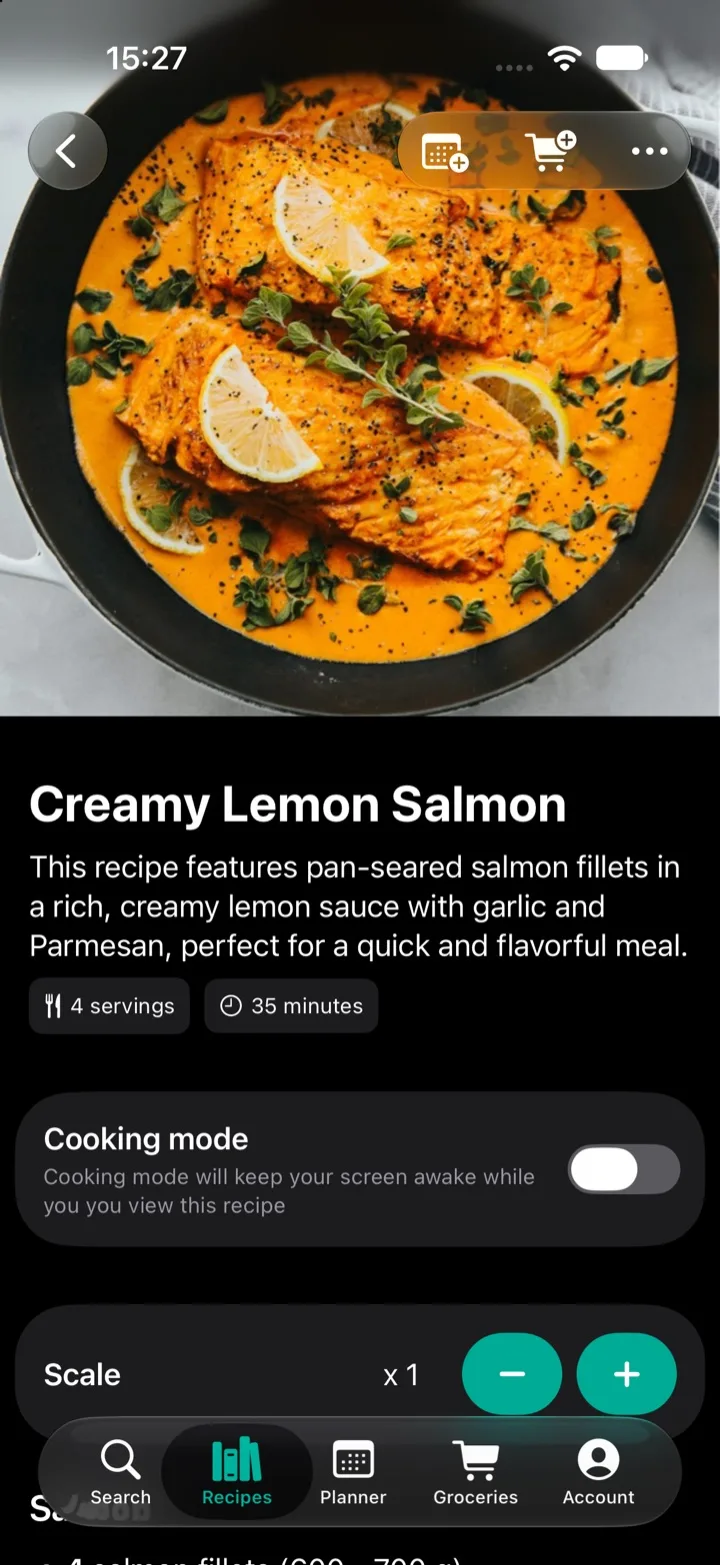
Every recipe in My Recipe Pad has a scale control above the ingredients. Tap + or − to change the size in quarter steps: a half, three quarters, one and a half, double, triple. Every ingredient amount updates right away, and so does the number of servings when the recipe lists one.
Ranges scale too. "2–3 cloves of garlic" becomes "4–6 cloves" when you double it, so the recipe keeps the same flexibility it was written with.
Why it works on recipes from anywhere
Scaling only works if the app knows which part of "1 ½ cups flour" is the amount, which part is the unit and which part is the ingredient. When you import a recipe from a food blog, Instagram, Facebook or Pinterest, My Recipe Pad pulls each ingredient apart into exactly that. It understands amounts and units in practically any language, so a Swedish cake recipe or a Polish soup scales as cleanly as one in English.
That's the difference between a recipe app and a folder of screenshots or bookmarks: a screenshot can't do the math for you.
Scaled amounts follow you to the store
The scale doesn't stop at the recipe.
- Add to your grocery list from a scaled recipe and the list gets the scaled amounts.
- Add it to your meal plan and the planned meal keeps its size. Plan a small dinner on Tuesday and a double batch on Sunday, and each meal opens with its own amounts.
- Send the week to your grocery list and every planned meal is added with the size you chose.
If someone else in your household does the shopping, they see the right amounts on your shared list too.
When scaling comes in handy
- Cooking for one or two from recipes written for a family.
- Batch cooking for the freezer or for lunches during the week.
- Having guests over and needing one and a half times the usual amount.
- Baking a half batch of cookies.
Your saved recipe always stays as it is. Scaling changes what you see while you cook, not what you saved.
Questions
- Does scaling change the recipe I saved?
- No. Scaling only changes what you see while you cook. The next time you open the recipe from your library, it's back to its original amounts. Open it from your meal plan and it shows the size you planned.
- Does it work on recipes I imported from a website or Instagram?
- Yes. The importer reads the amounts and units of each ingredient, in practically any language, so imported recipes scale just like the ones you write yourself.
- What happens to ingredients without an amount?
- Ingredients like "salt to taste" have nothing to scale, so they stay as they are. Everything with an amount is adjusted.